Flow chart - tinting customer journey
What the customer sees and does - from finding your website to getting their warranty - and what the shop does at each step.
The customer does the steps on the left of each arrow; the software does the rest automatically, or with one click by your staff.
flowchart TD
    A([Customer finds you: website, Facebook, Google, walk-in]) --> B{"How do they reach you?"}
    B -- "Website booking form" --> C["Picks service and time, enters name, phone, car"]
    B -- "Ad / lead form" --> L["Lead created in Tinting - Leads"]
    B -- "Phone or walk-in" --> M["Staff create the quotation directly"]
    C --> D{"Deposit set in settings?"}
    D -- Yes --> E["Pays deposit on Clover or Stripe payment page"]
    D -- No --> F["Booking request lands on the calendar"]
    E --> G["Deposit saved on the customer's account as an advance"]
    G --> F
    L --> M
    F --> M
    M --> N["Customer gets quotation link by WhatsApp or SMS"]
    N --> O{"Accepts?"}
    O -- "Accepts and signs on phone" --> P["Job approved, appointment confirmed"]
    O -- Rejects --> X([Lead marked lost, reason saved])
    P --> Q["Reminder and 'technician on the way' message"]
    Q --> R["Car tinted - before and after photos"]
    R --> S["Customer signs job completion"]
    S --> T["Invoice: deposit taken off automatically"]
    T --> U{"Pays balance"}
    U -- "In shop" --> V["Payment recorded"]
    U -- "Online link in portal" --> V
    V --> W["Warranty certificate issued"]
    W --> Y["Asked for a review"]
    Y --> Z([Customer portal keeps quotes, invoices, photos, warranty])
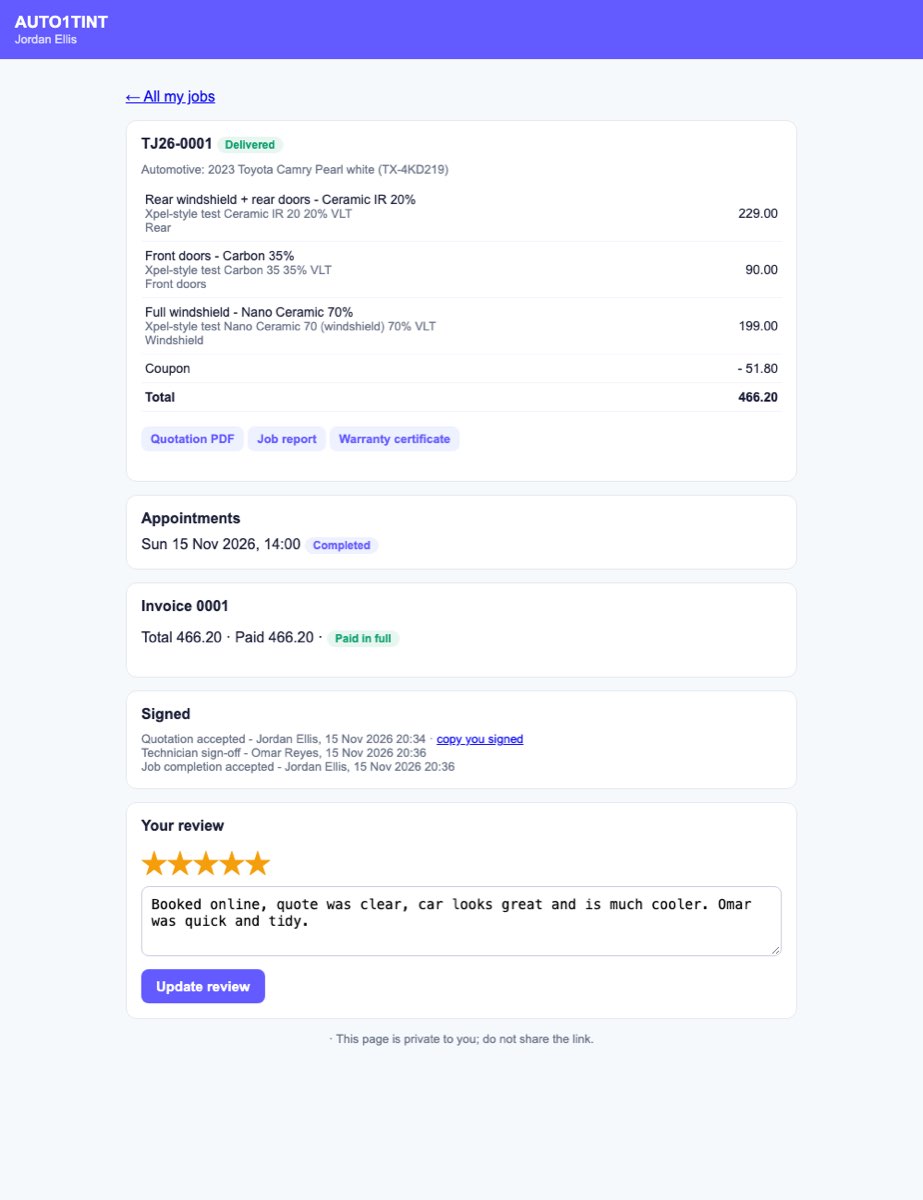
The customer portal
Every customer gets a private link (and can set an email and password). From it they can approve or reject quotations, sign, pay invoices, ask to move an appointment, download documents and leave a review. Read Customer portal.