Payment accounts, balance sheet and cash flow
Track every bank account, cash box and wallet, move money between them, and see balance sheet, trial balance and cash flow.
What it is
Payment Accounts are the places your money sits: each bank account, the cash drawer, a mobile wallet, a card machine. When you record a sale payment, purchase payment or expense, you choose which account the money came from or went to. The account's balance updates automatically.
Why you would use it
- Know how much is in each bank and cash box right now.
- Match your bank statement with what the system shows.
- Record owner deposits and transfers between accounts.
- Get simple financial statements without an accountant.
How to use it
Add an account
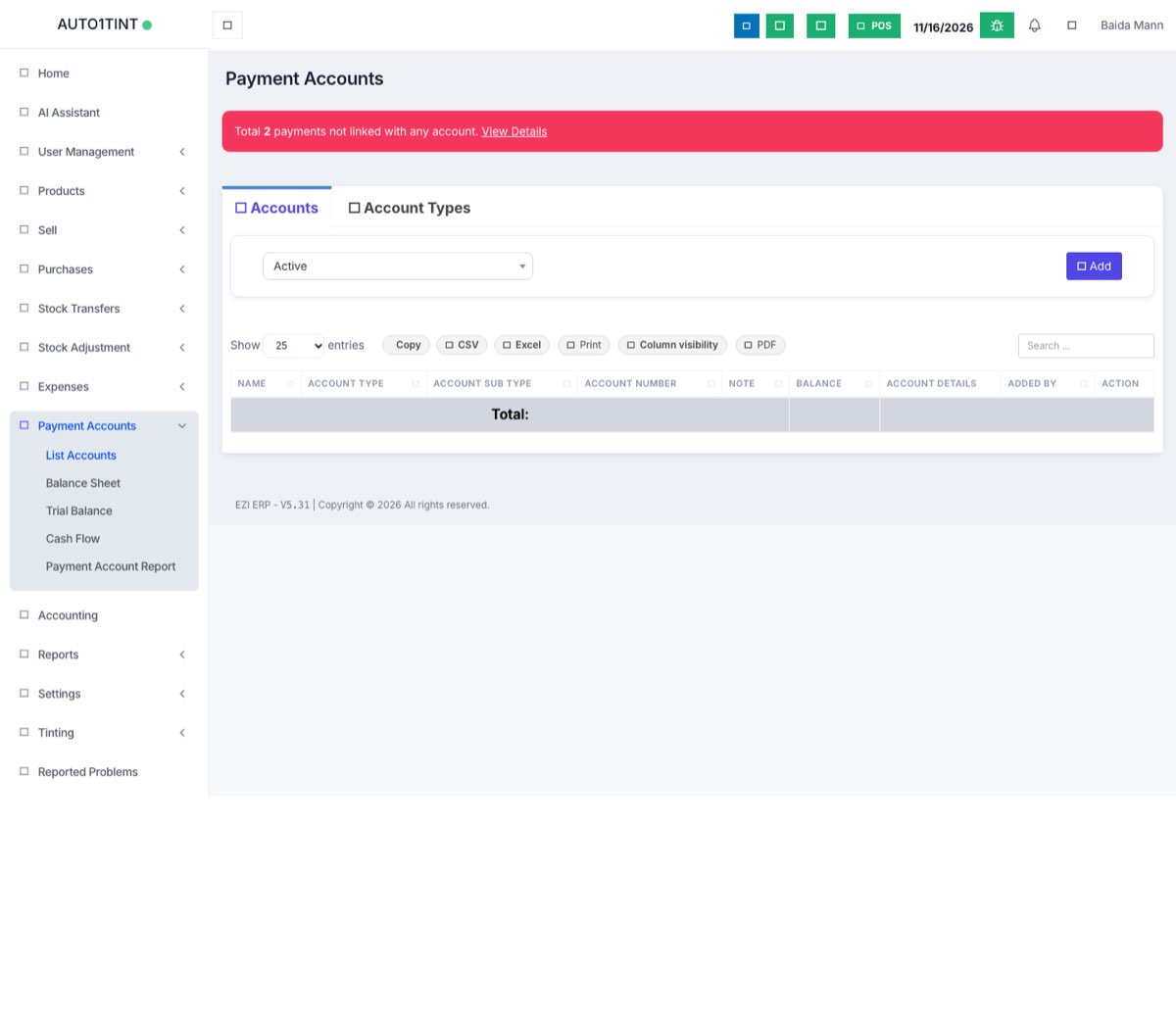
- Go to Payment Accounts > List Accounts.
- Click Add.
- Enter the Name, Account Number, Account Type and an opening balance and Note if needed.
- Click Save.
The list has tabs for Accounts, Capital Accounts and Account Types (your own grouping, such as "Bank" or "Cash"), and a filter for Active or Closed accounts.
Account actions
On each account's row, use the buttons:
- Account Book – every transaction in and out with a running balance.
- Edit – change name, number or type.
- Fund Transfer – move money to another account (e.g. cash to bank). Enter To, amount, date and note.
- Deposit – add money, such as the owner putting in capital.
- Close – stop using an account. Closed accounts are hidden from payment screens but kept in history.
If you see a notice like "Total payments not linked with account", some payments were saved without an account. Click View Details to link them.
Link payment methods to accounts
So you don't have to pick an account every time, set a Default Account for each payment method per location in Settings > Project Locations (see Business locations).
Reports in this menu
| Menu | What it shows |
|---|---|
| Balance Sheet | What the business owns (cash, stock, money owed to you) and owes (supplier dues, capital) on a date. |
| Trial Balance | Debit and credit totals for each account, to check that the books balance. |
| Cash Flow | Every movement in and out of your accounts for a period, filtered by Account and location. |
| Payment Account Report | Every payment and the account it was linked to. You can link unlinked payments here. |
Pick a date range at the top of each report. Use the print or export buttons to share it.
Tips / common questions
- Balance looks wrong. Open Account Book, sort by date and look for a missing or duplicated payment. Then check the Payment Account Report for payments not linked to any account.
- Bank payments may need approval from the owner. See Payment approvals.
- Using the Accounting module? Payment Accounts and the chart of accounts' Cash & Bank heads are kept in step automatically. See Bank sync.
- Who can see this menu is controlled by the account access permission. See Roles & permissions.